
 Welcome bonus on Slots & Live2 000 CAD + 100 FS on 2 deposits
 Welcome package for 2 deposits100% bonus +25% Freebet on sport

WinSpirit Casino App
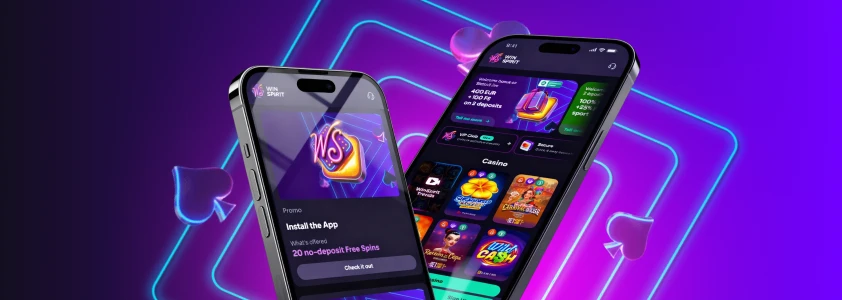
The WinSpirit app gives Canadian players instant access to the full casino from any device — no app store visit required. Install it once, log in once, and every game, bonus, and payment option is right there on your home screen. This page covers exactly how the WS Casino app works, how to get it on your device, and what you can do inside it.
How the WinSpirit App Works: PWA Technology Explained
The WinSpirit Canada app runs as a Progressive Web App — a PWA. That means it installs straight from your browser, with no listing in the Apple App Store or Google Play. You navigate to our website, follow a few taps, and the icon appears on your home screen or desktop dock.
Every time you open the WS Casino app, it checks for updates automatically. There is nothing to download manually. After your first open, the app caches roughly 50 MB of data, which is what keeps load times low on return visits.
WinSpirit online casino Canada main section covers the full game library and all payment methods — everything accessible through the app is identical to what you see on a standard browser visit.
| Feature | WinSpirit App (PWA) | Native App |
| Install method | Browser — no app store needed | App store download |
| Storage used | ~50 MB cache after first open | 100–500 MB typical |
| Auto-update | Yes — on every launch | Manual or background update |
| Session persistence | Stays active until manual logout | Varies by device |
| Push notifications | Available on supported OS versions | Standard |
WinSpirit Casino App: Installing on Android
Open Chrome on your Android phone, navigate to our website, and the WinSpirit app is three taps away. Chrome is the required browser — Samsung Internet and Firefox do not display the Install App option, so switching to Chrome is the first step if you use either of those.
Android install steps:
- Open Chrome on your Android device
- Go to the WinSpirit website
- Tap the three-dot menu next to the address bar
- Select Install the WinSpirit Casino App
- Tap Install to confirm
- Open the app and log in
WinSpirit Casino account login after the app installs is a one-time step — your session stays active until you manually log out. You will not need to re-enter your credentials every time you open the WS Casino app.
Win Spirit Casino App: Installing on iPhone and iPad
Safari is the only browser on iOS that can install PWA apps — Chrome on iPhone cannot trigger the Add to Home Screen flow for this type of install. Open Safari first, then follow the steps below.
iOS install steps:
- Open Safari on your iPhone or iPad
- Navigate to the WinSpirit website
- Tap the Share icon at the bottom of the screen
- Select Add to Home Screen
- Tap Add to confirm
- Open the app and log in
Push notifications are available from iOS 16.4 and later. After your first login, iOS will prompt you to allow notifications — accepting that prompt means you will get alerts about promotions and account activity directly on your lock screen.
WinSpirit Casino registration must be completed before the app can be used for real-money play. If you are new, register through the browser or through the app itself — the process is the same either way.
Installing on Windows and macOS
The Win Spirit app is not limited to phones. Canadian players on desktop computers can also pin it for quicker access.
- Windows: Open Chrome, go to our website, and click the install icon that appears in the right side of the address bar. A prompt will appear — click Install to confirm. The app opens in its own window from that point on.
- macOS: Open Safari, navigate to our website, and click the install icon in the browser toolbar. Select Share, then Add to Dock, then click Add to confirm. On macOS, the WinSpirit Canada app works in both Safari and Chrome.
What the WinSpirit Canada App Contains
Everything available on the desktop version is inside the app — nothing is removed or restricted for mobile. Our game library covers 1,000+ titles across slots, live dealer tables, crash games, and jackpots.
The cashier is fully functional inside the WS Casino app. You can deposit and withdraw using Interac, Visa, Mastercard, flexepin, Neosurf, and crypto options including Bitcoin, Ethereum, and Solana. Minimum withdrawal is 50 CAD; maximum is 2,000 CAD per transaction.

Your profile section inside the WinSpirit Casino app shows your bonus wallet, active wagering progress, and VIP dashboard — the same view you get on a full browser session. If you have an active bonus running, you can track exactly how much wagering remains before you can withdraw.
Bonuses Available Through the App
Installing the WinSpirit Canada app qualifies you for a specific no-deposit bonus. You receive 20 free spins automatically after installing and activating the bonus from the Bonuses tab in your profile. Each spin is worth 0.1 CAD, wagering is x40, and the bonus can only be claimed once per account.
The welcome package remains available after install: up to 2,000 CAD plus 100 free spins across the first two deposits. The first deposit bonus is 100% up to 1,000 CAD with a 30 CAD minimum deposit, and the free spins are delivered at 20 per day over five days. Wagering on deposit bonuses is x40.
Games You Can Play Through the App
Our game library inside the WinSpirit app covers every category you find on the full site:
- Slots and jackpots — titles including Immortal Romance, Rings of Olympus, Buffalo Rampage, and more
- Crash games — Aviator, Plinko, Chicken Train, Astro, and others in a dedicated crash category
- Live casino — Pragmatic Live, imagine live, Vivo Gaming, and other providers with real dealers
- Table games — blackjack, roulette, baccarat, poker, and game-show formats
- Bingo and keno — Lucky Shamrock Bingo, Bingo Planets, Candy Bingo, and additional titles
All games load directly in the app. No separate download or plugin is needed for any category.
Frequently Asked Questions
Is the WinSpirit app free to install?
Yes — installing the WS Casino app costs nothing. The PWA installs from your browser with no purchase, subscription, or download fee. Real-money play requires a funded account, but the install itself is completely free.
Can I have the app on more than one device?
Yes. You can install the WinSpirit Canada app on multiple devices — phone, tablet, and computer — using the same account. Your balance, bonuses, and game history stay the same across all of them.
Does the Win Spirit app work on a tablet?
Yes — the app works on both Android tablets via Chrome and iPad via Safari. The install process is identical to the phone instructions. The layout adjusts to fit the screen size automatically.
What if the Install App option does not appear in Chrome on Android?
Check that you are using an up-to-date version of Chrome. Samsung Internet and Firefox will not show the install prompt — switch to Chrome. If the option still does not appear, clear Chrome’s cache and try again on a fresh browser session.
Can I use the app if I am outside Canada?
The app installs and opens regardless of where you physically are. Access depends on the terms that apply to your account. If you travel outside Canada temporarily, the app remains on your device and functional for the duration covered by your account agreement.